Chapter 15: DESIGN GOOGLE DRIVE
Understand Google Drive
- Google Drive is a file storage and synchronization service that helps you store documents, photos, videos, and other files in the cloud.
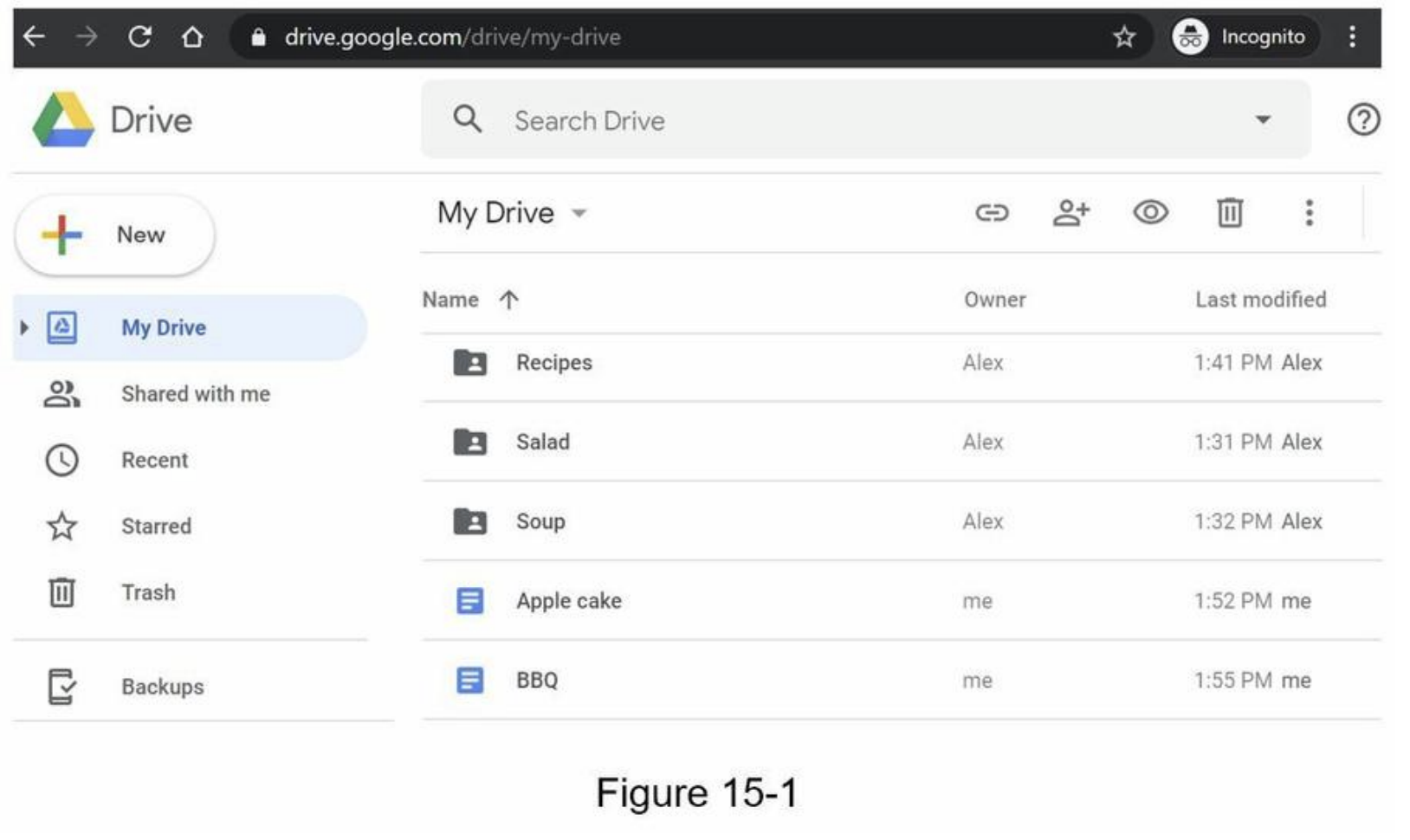

Step 1 - Understand the problem and establish design scope
- requirements
- features: Upload and download files, file sync, and notifications
- mobile and web app
- supported file formats: any file type
- files are encrypted
- size limit:
10 GBor smaller - 10M DAU (Daily Active Users)
- Focused features:
- Add files -> drag and drop
- Download files
- Sync files across multiple devices
- See file revisions
- Share files
- Send a notification(edited, deleted, or shared)
- Not included
- Google doc editing and collaboration
Back of the envelope estimation
- assume ->
50million signed up users and10million DA - Users get
10GB free space - Assume users upload
2files per day. The average file size is500 KB 1:1read to write ratio- Total space allocated:
50 million * 10 GB = 500 Petabyte - QPS (Queries Per Second) for upload API:
10 million * 2 uploads / 24 hours / 3600 seconds = ~ 240 - Peak QPS = QPS * 2 =
480
Step 2 - Propose high-level design and get buy-in
- a single server -> scale it up to support millions of users
- a single server setup
- web server (Apache web server) -> upload and download files
- A database (MySql database) -> metadata (user data, login info, files info)
- A storage system to store files -> 1TB
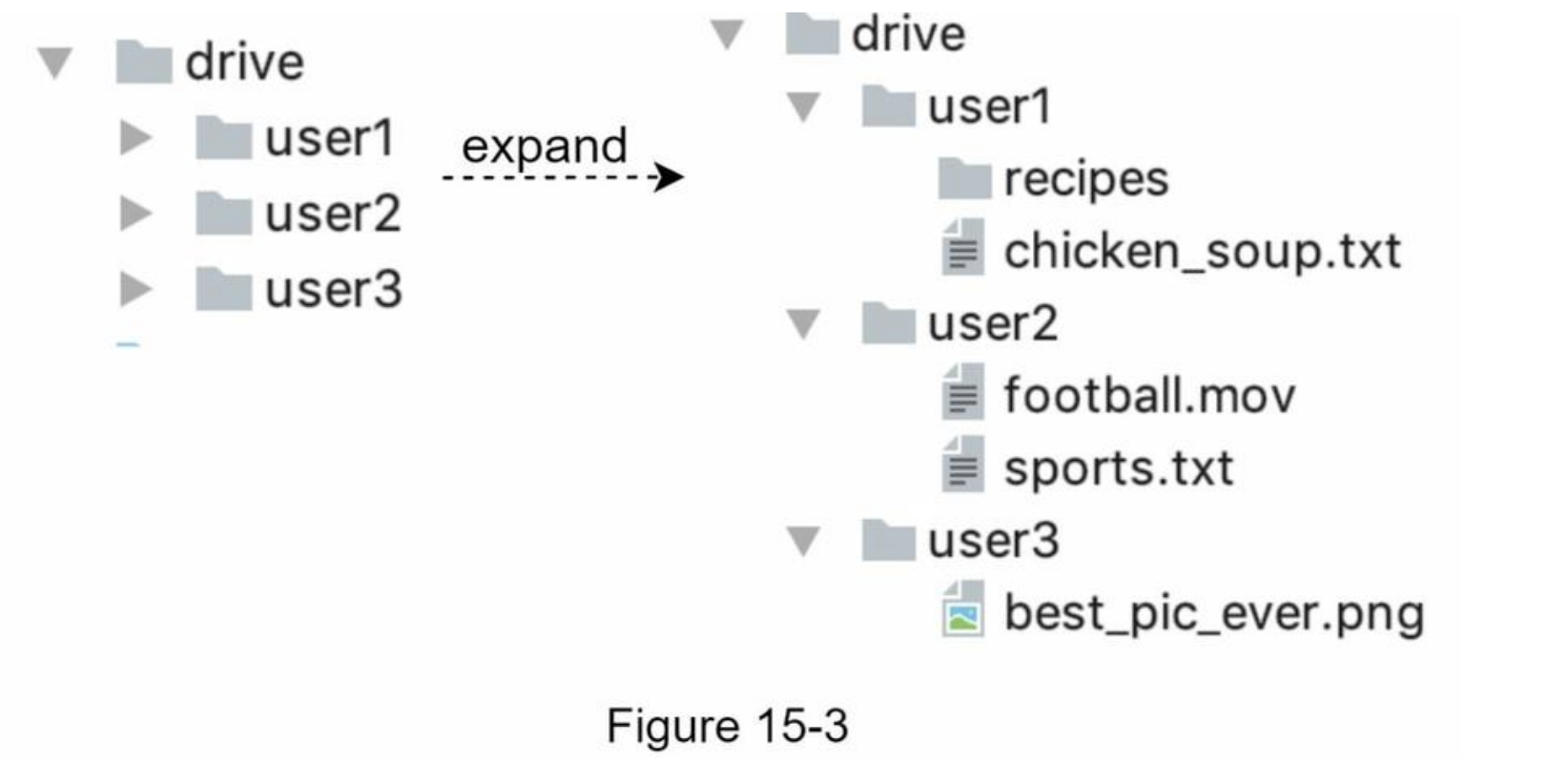
APIs
- 3 APis: upload a file, download a file, and get file revisions
- user authentication and use HTTPS
- 1. Upload a file to Google Drive
- Two types of uploads are supported:
- Simple upload -> file size is small
- Resumable upload -> file size is large and there is high chance of network interruption
- example:
https://api.example.com/files/upload?uploadType=resumable - params:
- uploadType=resumable
- data: Local file to be uploaded
- 3 steps of resumable uploading
- Send the initial request to retrieve the resumable URL.
- Upload the data and monitor upload state.
- If upload is disturbed, resume the upload.
- Two types of uploads are supported:
- 2. Download a file from Google Drive
- example:
https://api.example.com/files/download - params:
- path: download file path.
- example:
{
  "path": "/recipes/soup/best_soup.txt"
}
- example:
- 3. Get file revisions
- example:
https://api.example.com/files/list_revisions - params:
- path: The path to the file you want to get the revision history.
- limit: The maximum number of revisions to return.
- example:
{
  "path": "/recipes/soup/best_soup.txt",
  "limit": 20
}
- example:
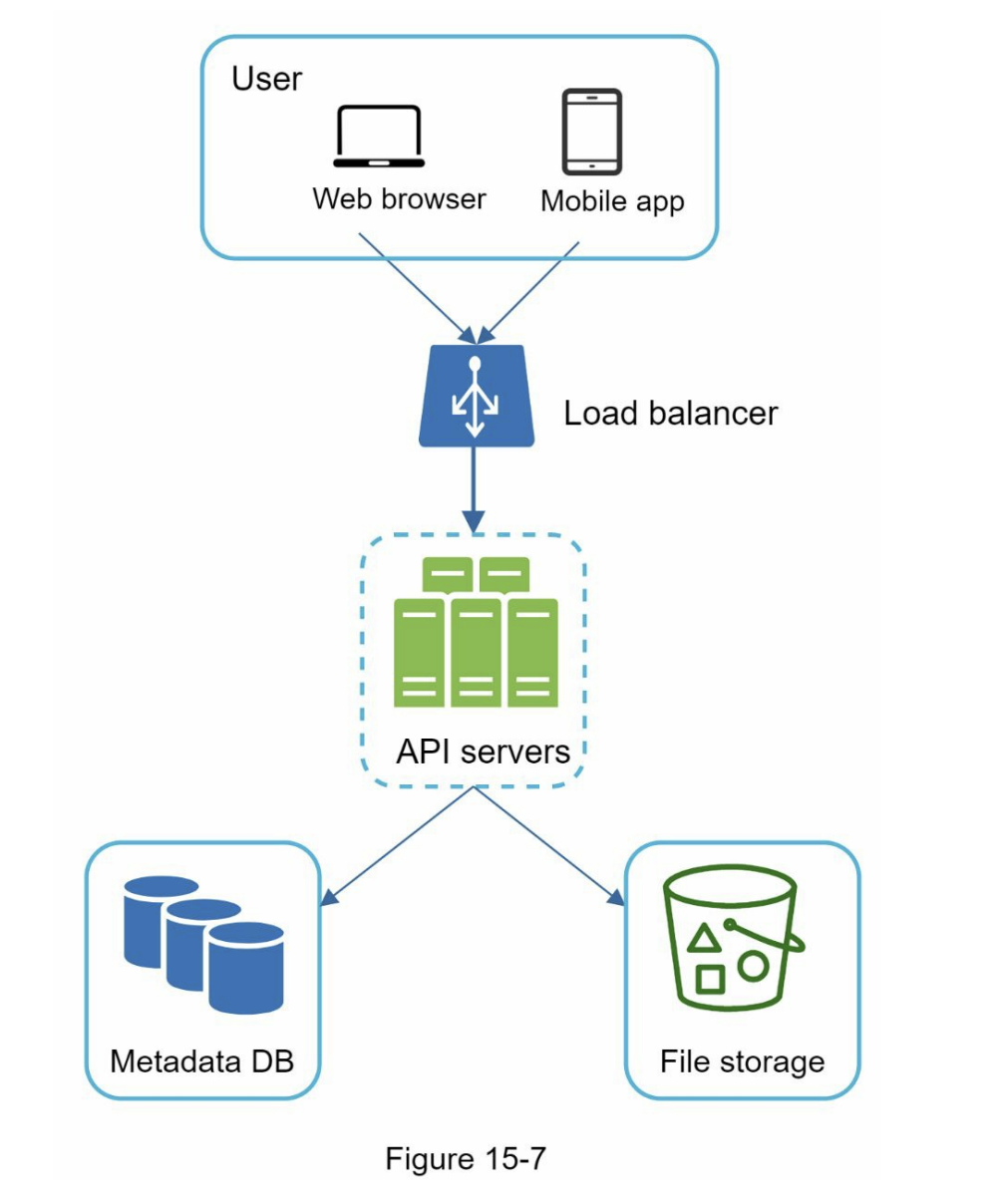
Move away from single server
- Not enough space
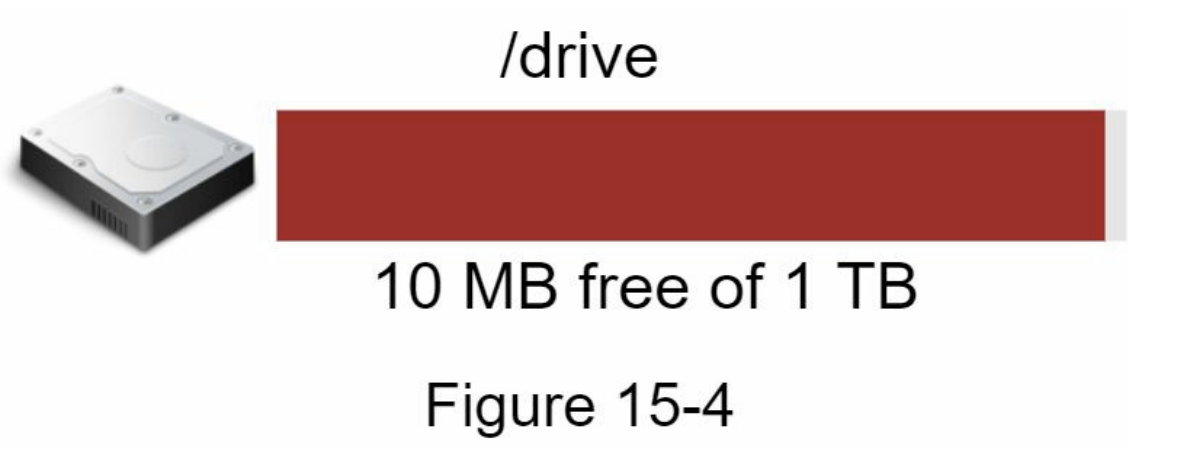
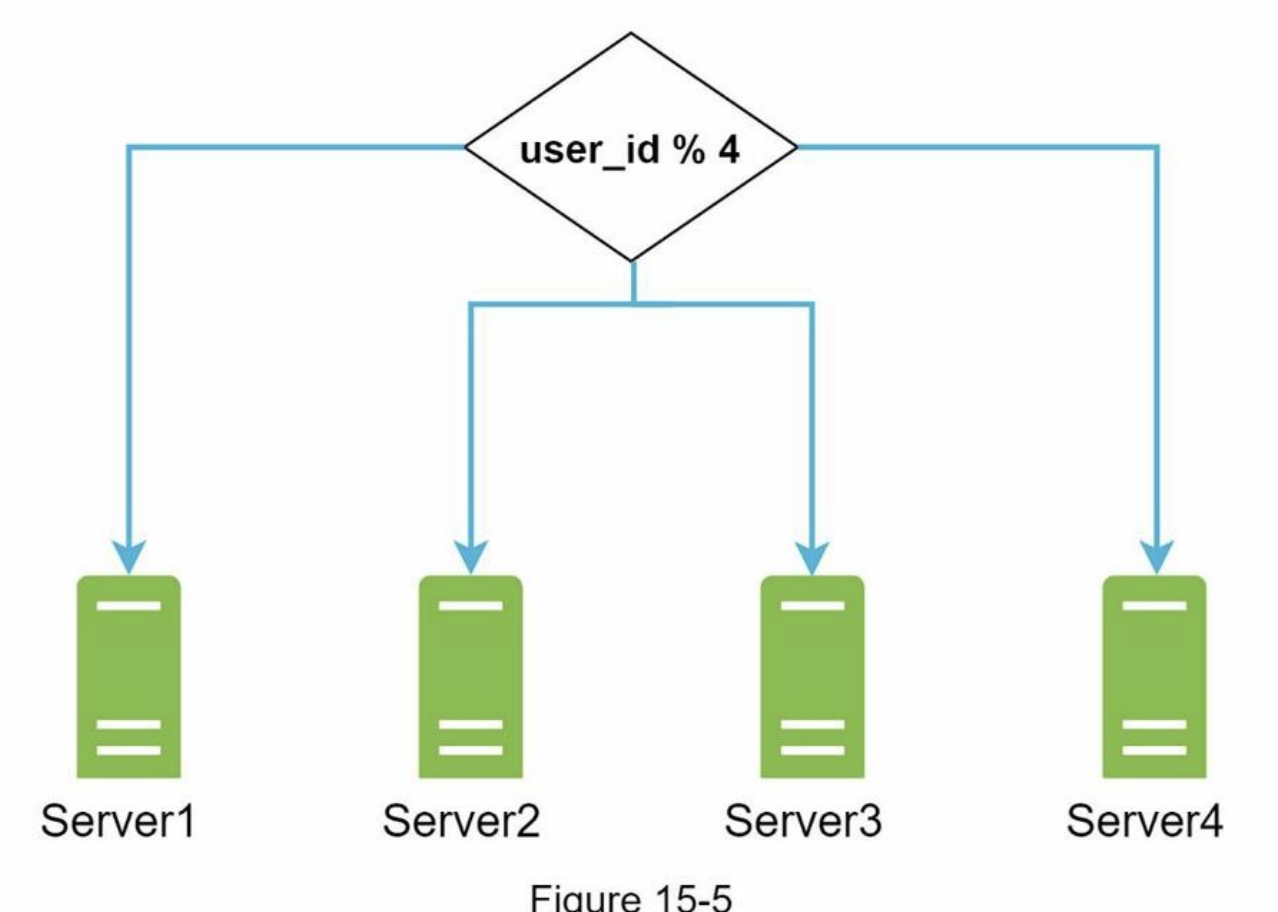
- sharding based on user_id -> potential data losses in case of storage server outage
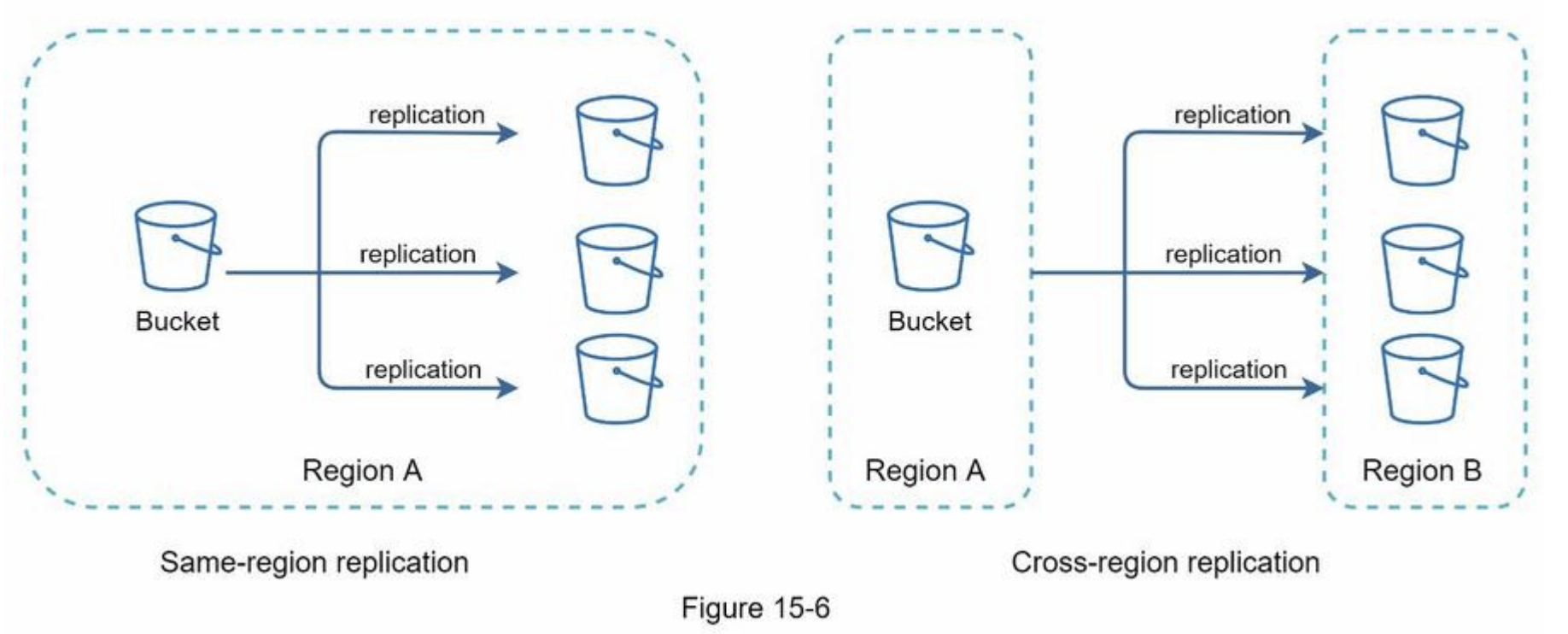
- Amazon S3 supports same-region and cross-region replication
- decoupled web servers, metadata database, and file storage from a single server
Sync conflicts
- our strategy: the first version that gets processed wins, and the version that gets processed later receives a conflict
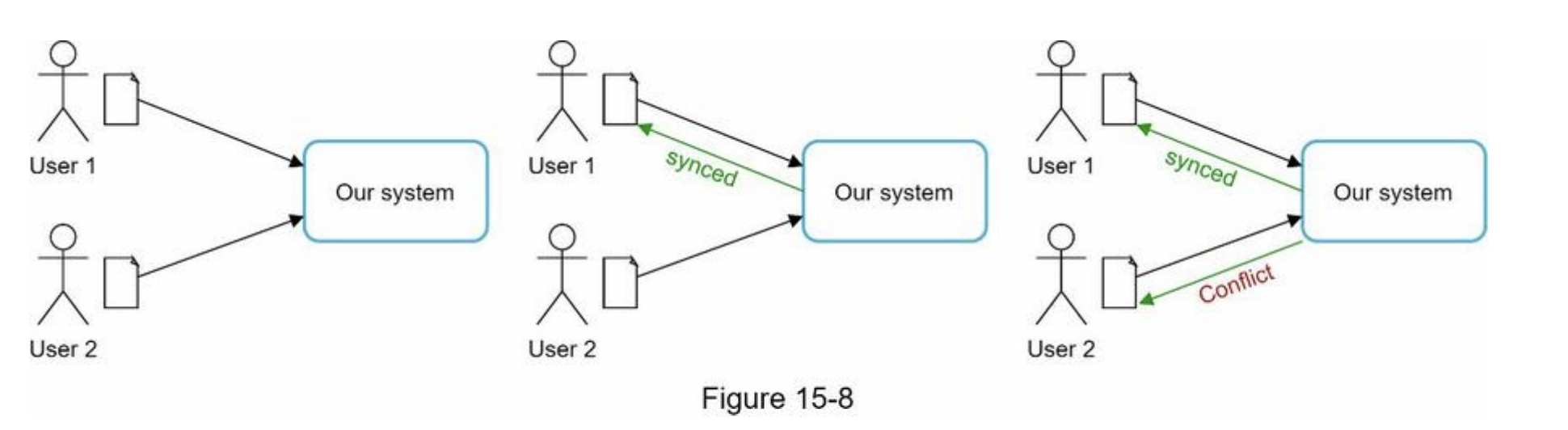
- User 2 has the option to merge both files or override one version with the other.

High-level design

- Block servers
- upload blocks to cloud storage
- block-level storage
- A file can be split into several blocks -> each with a unique hash value -> stored in our metadata database
- independent object -> stored in S3
- reconstruct a file -> are joined in a particular order
- the block size (e.g. Dropbox): maximal size of a block to
4MB
- Cloud storage
- A file is split into smaller blocks and stored in cloud storage.
- Cold storage
- storing inactive data (files are not accessed for a long time)
- Load balancer
- evenly distributes requests
- API servers
- other than the uploading flow
- user authentication, managing user profile, updating file metadata, etc.
- Metadata database
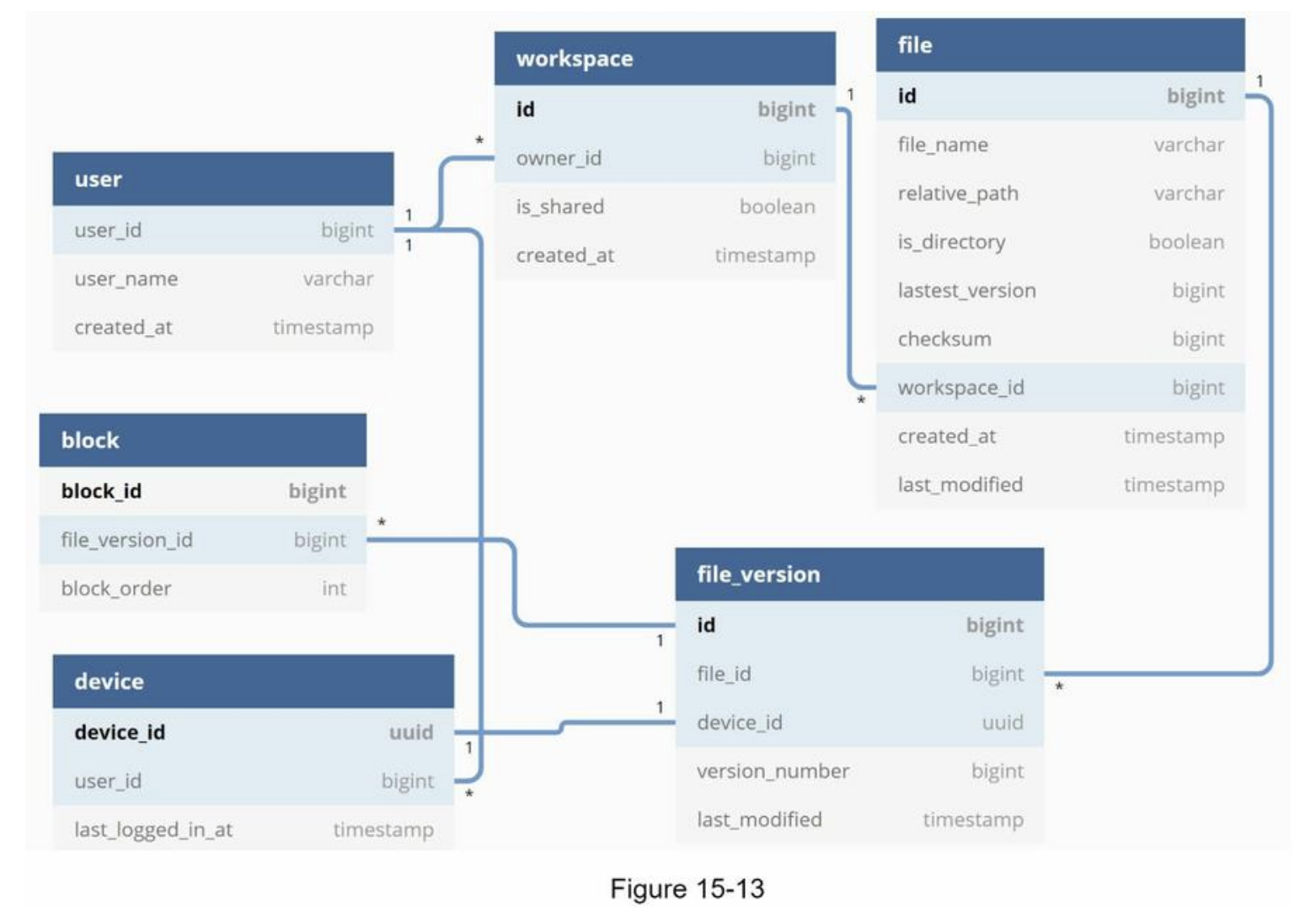
- metadata of users, files, blocks, versions, etc
- Metadata cache
- Some of the metadata are cached for fast retrieval.
- Notification service
- publisher/subscriber system
- notifies relevant clients when a file is added/edited/removed elsewhere so they can pull the latest changes
- Offline backup queue
- a client is offline -> the offline backup queue stores the info -> changes will be synced when the client is online
Step 3 - Design deep dive
- Block servers
- large files -> minimize the amount of network traffic being transmitted
- Delta sync. When a file is modified, only modified blocks are synced instead of the whole file using a sync algorithm
- Compression -> using compression algorithms depending on file types
- e.g. gzip and bzip2 are used to compress text files
- block server
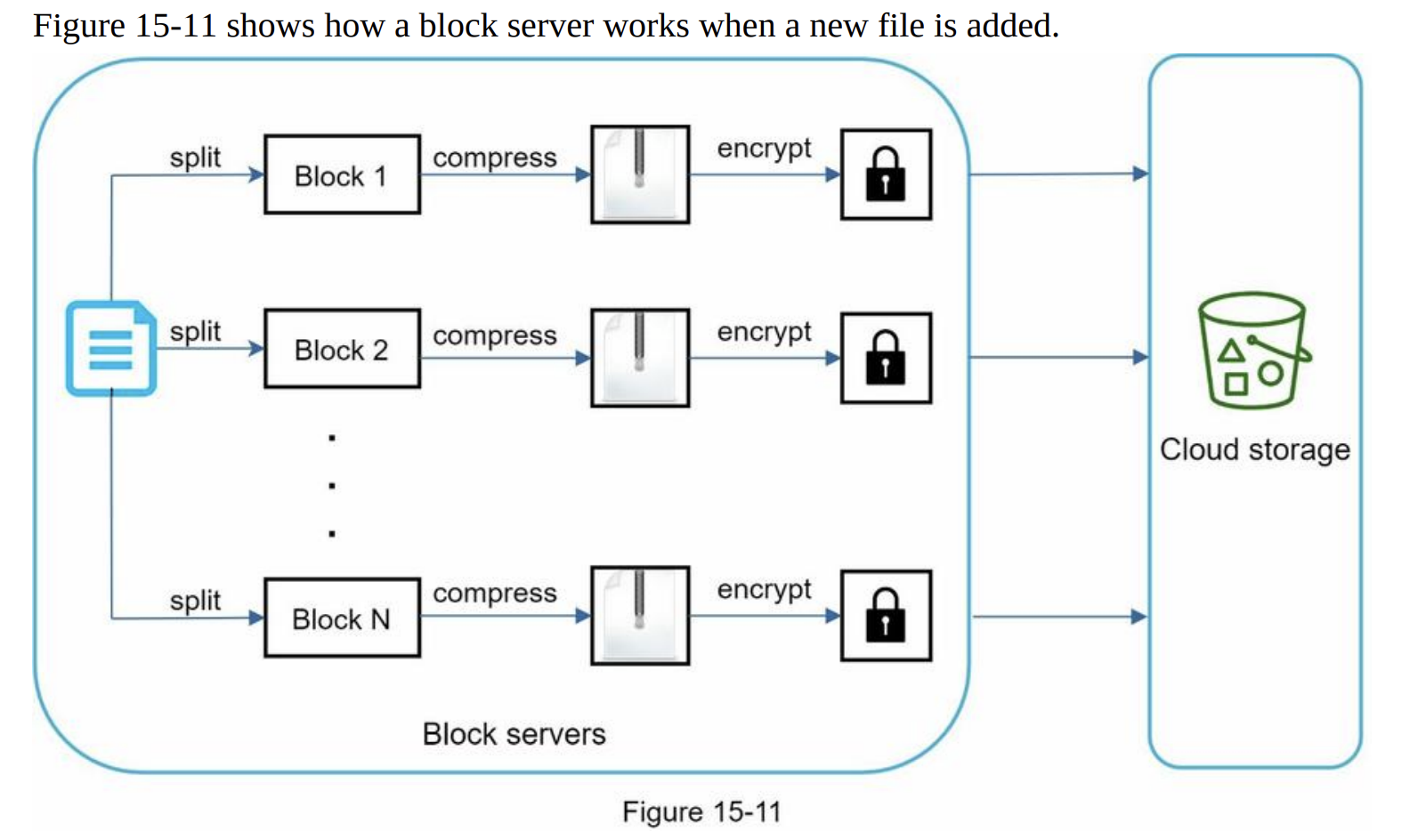
- Instead of uploading the whole file to the storage system, only modified blocks are transferred -> save network traffic by providing delta sync and compression

- large files -> minimize the amount of network traffic being transmitted
- High consistency requirement
- Memory caches adopt an eventual consistency model by default -> different replicas might have different data.
- To achieve strong consistency, ensure:
- Data in cache replicas and the master is consistent
- Invalidate caches on database write to ensure cache and database hold the same value.
- a relational database -> strong consistency -> because ACID (Atomicity, Consistency, Isolation, Durability) => we choose it in our design
- NoSQL databases -> not support ACID -> must be programmatically incorporated in synchronization logic
- Metadata database
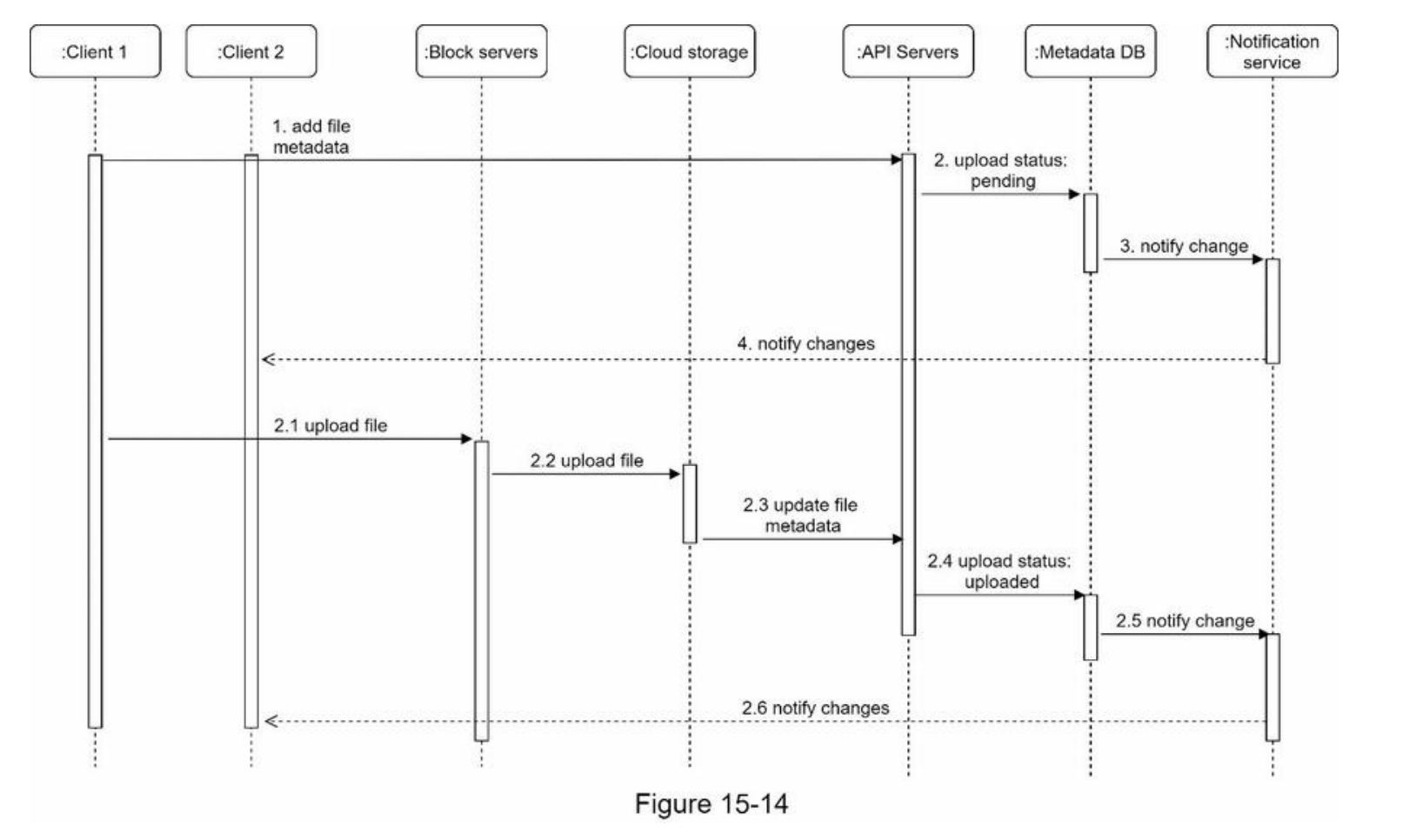
- Upload flow
- Download flow
- Download flow is triggered when a file is added or edited elsewhere.

- Download flow is triggered when a file is added or edited elsewhere.
- Notification service
- notification service allows data to be transferred to clients as events happen.
- Long polling. Dropbox uses long polling
- WebSocket -> a persistent connection between the client and the server -> bi-directional
- we opt for long polling for the following two reasons:
- Communication for notification service is not bi-directional
- WebSocket is suited for real-time bi-directional communication such as a chat app
- long polling
- each client establishes a long poll connection to the notification service
- If changes to a file are detected -> he client will close the long poll connection
- a client must connect to the metadata server to download the latest changes
- a response is received or connection timeout is reached -> a new request to keep the connection open
- notification service allows data to be transferred to clients as events happen.
- Save storage space
- De-duplicate data blocks
- Eliminating redundant blocks at the account level
- Two blocks are identical if they have the same hash value
- Adopt an intelligent data backup strategy
- Set a limit: a limit for the number of versions to store
- Keep valuable versions only:
- limit the number of saved versions
- give more weight to recent versions
- Moving infrequently used data to cold storage -> Amazon S3 glacier -> cheaper
- De-duplicate data blocks
- Failure Handling
- Load balancer failure
- If a load balancer fails, the secondary would become active and pick up the traffic
- monitor each other using a heartbeat
- if it has not sent a heartbeat for some time -> failed
- Block server failure
- If a block server fails, other servers pick up unfinished or pending jobs
- Cloud storage failure
- S3 buckets are replicated multiple times in different regions
- not available in one region -> can be fetched from different regions
- API server failure
- a stateless service
- if fails -> the traffic is redirected to other API servers by a load balancer
- Metadata cache failure
- are replicated multiple times
- if fails -> access other nodes to fetch data
- bring up a new cache server to replace the failed one
- Metadata DB failure
- Master down
- promote one of the slaves to act as a new master and bring up a new slave node
- Slave down
- use another slave for read operations
- bring another database server to replace the failed one
- Master down
- Notification service failure
- Even though one server can keep many open connections, it cannot reconnect all the lost connections at once.
- Reconnecting with all the lost clients is a relatively slow process
- Offline backup queue failure
- Queues are replicated multiple times.
- If one queue fails, consumers of the queue may need to re-subscribe to the backup queue.
- Load balancer failure
Wrap up
- In our design, a file is
transferred to block servers first, and then to the cloud storage
- drawbacks
- the same chunking, compression, and encryption logic must be implemented on different platforms (iOS, Android, Web)-> It is error-prone and requires a lot of engineering effort
- as a client can easily be hacked or manipulated, implementing encrypting logic on the client side is not ideal
- drawbacks
- presence service (online/offline)
- by moving presence service out of notification servers -> online/offline functionality can easily be integrated by other services